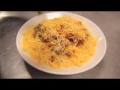
When the economy and thermometer go down, the craving for comfort food goes up. That’s why the hottest cuisine trend right now is adding new twists to comfort food classics, like Macaroni & Cheese.
Noodles & Company, a 255-unit and growing, fast-casual concept, is now featuring three “grown up” Mac & Cheese dishes made with global flavors, high-end ingredients and even truffle oil-spiked sauce.
To view Multimedia News Release, go to http://multivu.prnewswire.com/mnr/noodles/48953/
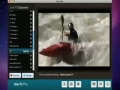
http://www.mactvpro.com - Check out how I watch Live TV on my Mac! From live Sports to News! With MacTV Pro you can watch hundreds of TV Channels directly on your Mac! Watch channels from all over the world... MacTV Pro is fully compatible when running Mac OSX 10.5, 10.6 or 10.7+
http://www.321soft.com/mac-video-converter.html
*** Order Now and Get 15% OFF the regular price now. Coupon Code: COUP-108J ***
Finally, convert mov, mkv, wmv, avi, mp4, and any other popular video format to iPhone with our easy-to-use video to iPhone video converter. No need to know about video formats, settings, etc.
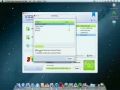
321Soft Video Converter for Mac provides a perfect solution to convert from HD video and regular video files including dvr-ms, MPEG, DivX, XviD, MOV, rm, rmvb, WMV, AVI, ect. to video and audio formats compatible with iPhone (iPhone 4S included).
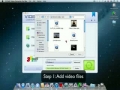
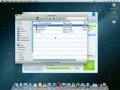
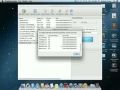
The following will show you a step by step guides to complete the conversion task.
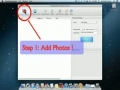
Step 1: Add Video File
Click
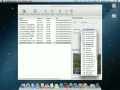
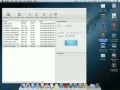
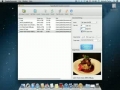
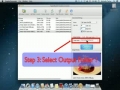
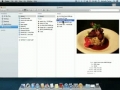
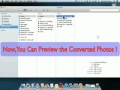
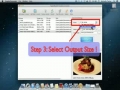
AppleMacSoft Picture converter for Mac is a fast and easy-to-use image converter that can handle a wide variety of picture file formats. You can using it to convert multiple pictures to a format. It will save you an unbelievable amount of time to batch converting your pictures . You can simple and fast to convert different picture formats to another format such as JPG, BMP, PNG, ICO and so on. It supports more than 50 graphic formats including GIF, JPG, PNG, BMP, TGA, SVG, TIFF, ICO, PICT, PCT, PSD, Digital Photo RAW formats and many others.
http://www.applemacsoft.com/
http://www.applemacsoft.com/graphic-converter/index.html
Basic tutorial on how to resize one or multiple images on the Mac using Preview.
Please rate and subscribe if you found the video helpful :)
Feel free to message me or post in the comments with any questions you may have.
Thanks for watching!