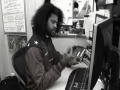
Despite a major song composing setback due to computer failure "My keyboard broke down" I was still able to complete this song and video by using old school computer tactics. First I pleaded with my computer. Then I bribed it. Then I learned how to communicate with it by sign language. When flipping it the finger was no longer effective, I then brought out the hammer and smashed my keyboard in front of it and then said "You're up next Mr. Intel and if you don't smarten up, I'll smash you Inside Out el." I try as hard as I can to be computer friendly.
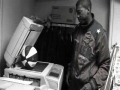
Nobody likes to sell themselves short in life and end up a data entry clerk. If you say your dream is to be an architect you don\'t want to end up tapping a keyboard while you cry out from the sheer mind-numbing boredom of it all.
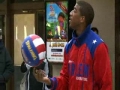
Riddle us this: What happens when you take Harlem Globetrotters teammates Wildcat and Buckets out of their element on the court and put them to work at the MSG offices?
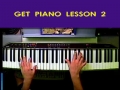
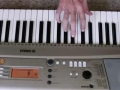
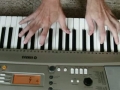
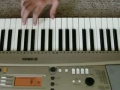
If you are left-handed, this next piano lesson should be a breeze! Now that we have played our first five piano notes using our right hand, it is time to learn the NEXT five notes you should learn on the piano using your left hand. Still nothing too fancy at this point, although I did feel a slight urge to begin the lesson with one of my favorite Chopin tunes. As always, you can check out the online version of my free piano lessons at: www.get-piano-lessons.com/beginner-lesson-piano-left.html
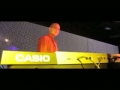
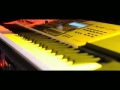
Casio America, Inc. re-entered the professional synthesizer market this year with the launch of two products ideal for performing and recording artists – the XW-P1 Performance Synthesizer and the XW-G1 Groove Synthesizer. Based on the successful introduction of the XW series, Casio has teamed up with aNYthing, a streetwear/lifestyle brand located in New York City, to create a limited edition XW-P1 synthesizer. Designed in a signature gold hue, only 200 XW-P1GD units will be available at Guitar Center and Musician’s Friend.
To view Multimedia News Release, go to http://www.multivu.com/mnr/57776-casio-anything-xw-p1-performance-synthesizer-and-xw-g1-groove-synthesizer
Fetzer, the pioneering vintner behind Sundial Chardonnay and the nation’s #1-selling Gewürztraminer, is making a recommendation that is both true to its roots and totally 2018: that the white wine glass take up its rightful place on the emoji keyboard. Joining together with over a dozen California wineries and the global wine community, Fetzer is bringing its creativity and a variety of inspired tools to the campaign to add the #WhiteWineEmoji to the 2019 emoji roster.
Fetzer’s engaging “I Want My White Wine Emoji” video is at the heart of the vintner’s efforts to generate awareness and enthusiasm for the #WhiteWineEmoji campaign. Already viewed more than 33,000 times, the animated video highlights missed opportunities to pair a variety of items—from white wine-friendly foods like fish to day trips to sunny beaches—with the white wine emoji. Fetzer also brings the campaign to life on its website, which sheds light on the international effort for the #WhiteWineEmoji and invites fans to express their support by visiting whitewineemoji.net to get involved.
To view the multimedia release go to:
https://www.multivu.com/players/English/8255952-fetzer-white-wine-emoji/
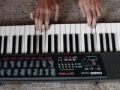
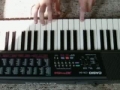
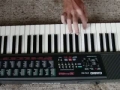
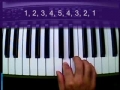
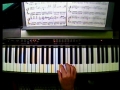
With so much basic information to cover, Get Piano Lesson 1 continues here with this second installment (video 2 of 3) where you can watch me demonstrate proper fingering on the piano. Next, it is your turn to join me as we play our first five piano notes in the Middle C position using a legato playing style. Nothing too heavy at this point... but just wait until next lesson. To get the complete story behind this video, just visit me online at: www.get-piano-lessons.com/beginner-lesson-piano.html
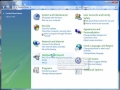
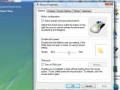
Associated article: http://www.cleartechinfo.com/Learn-How-To-Change-Keyboard-Mouse-Settings-Windows-Vista
Easily learn how to modify your mouse and keyboard settings in Windows Vista. It also applies to Windows XP. Video tutorial and Help article.
Learn how you can easily enable Emoji keyboard on your device!
Send amazing emoji pictures, unique emoticons, turn any word into emoji preset in a tap, and more! Get ultimate Emoji Emoticons Art iOS app https://itunes.apple.com/app/id593449409
How to enable Emoji 2 Keyboard on iOS 6
- Open Settings
- Go to General
- Scroll down and tap Keyboard
- Select Keyboards
- Tap Add New Keyboard
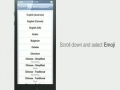
- Scroll down and select Emoji
- Emoji keyboard has been activated. Now you can use Emoji in Messages, Notes, Contacts, and more!
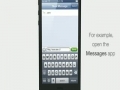
- Open the Messages app, for example
- Tap and hold the Globe at the bottom and then select Emoji
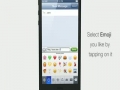
- Select the Emoji you like by tapping on it